A visual editor built for websites more than basic page building
WebDirector gives your team a fast, structured way to build pages, manage content, control navigation, and run ecommerce from one business-grade platform. It is familiar to use, powerful to scale, and ready for modern AI-assisted content workflows.
Our clients
Build and update pages visually, without breaking your workflow.
WebDirector’s page editor is designed to help teams move quickly. Create sections, adjust layouts, update text, manage imagery, and publish changes with confidence from one visual editing experience.
It is ideal for marketing teams, content managers, and business users who need professional control without a slow or overly technical process.
Content blocks that make layout building practical
Build pages using structured blocks for text, media, forms, FAQs, call-to-actions, galleries, and more. It keeps content flexible, reusable, and easier to manage across growing websites.
Familiar for teams already used to WordPress
The interface feels familiar, which makes onboarding easier for everyone. Teams can get to work quickly while gaining a much more structured visual editing environment.

AI Optimised Content
Faster content production with AI-ready building blocks.
WebDirector is set up for modern AI-assisted publishing. Use FAQ content blocks, structured sections, and LLM-assisted workflows to generate, refine, and publish useful website content faster.
FAQ content block generation
Create structured FAQ sections for service pages, product pages, and SEO landing pages with LLM-assisted content generation.
Cleaner content workflows
Structured blocks make it easier to review, update, and repurpose generated content instead of wrestling with long-form unstructured pages.
Built for search visibility
Pair AI-assisted writing with a layout system designed for clear page structure, richer content sections, and scalable content management.
Ecommerce
More than a website editor. A platform ready for online selling.
WebDirector combines visual content management with ecommerce tools that help businesses launch, organise, and grow online sales with less platform sprawl.

Product catalogue
Manage products in a structured catalogue designed for browsing, merchandising, and scalable content presentation.
Category and filter mega menus
Create rich navigation experiences that help customers move through product categories and filtered collections with ease.
Lazy loading performance
Support faster browsing with performance-minded loading behaviour that helps keep larger catalogues efficient.
Checkout ready to go
Launch with Stripe, PayPal, Apple Pay, and Google Pay supported in a more complete ecommerce workflow.
Product import and data connection
Bring product data in faster with import tooling and connect other systems through API and Zapier-friendly workflows.
Search, filters, and discovery
Help customers find products through keyword search and filter-based browsing designed for practical ecommerce use.
Wishlist to order
Give customers a way to save products, revisit them later, and move from interest to order more smoothly.
Customer registration
Support return billing and delivery workflows with customer account registration built into the wider store experience.
Order processing enquiry tools
Manage customer enquiries and order-related actions through business-oriented store administration tools.
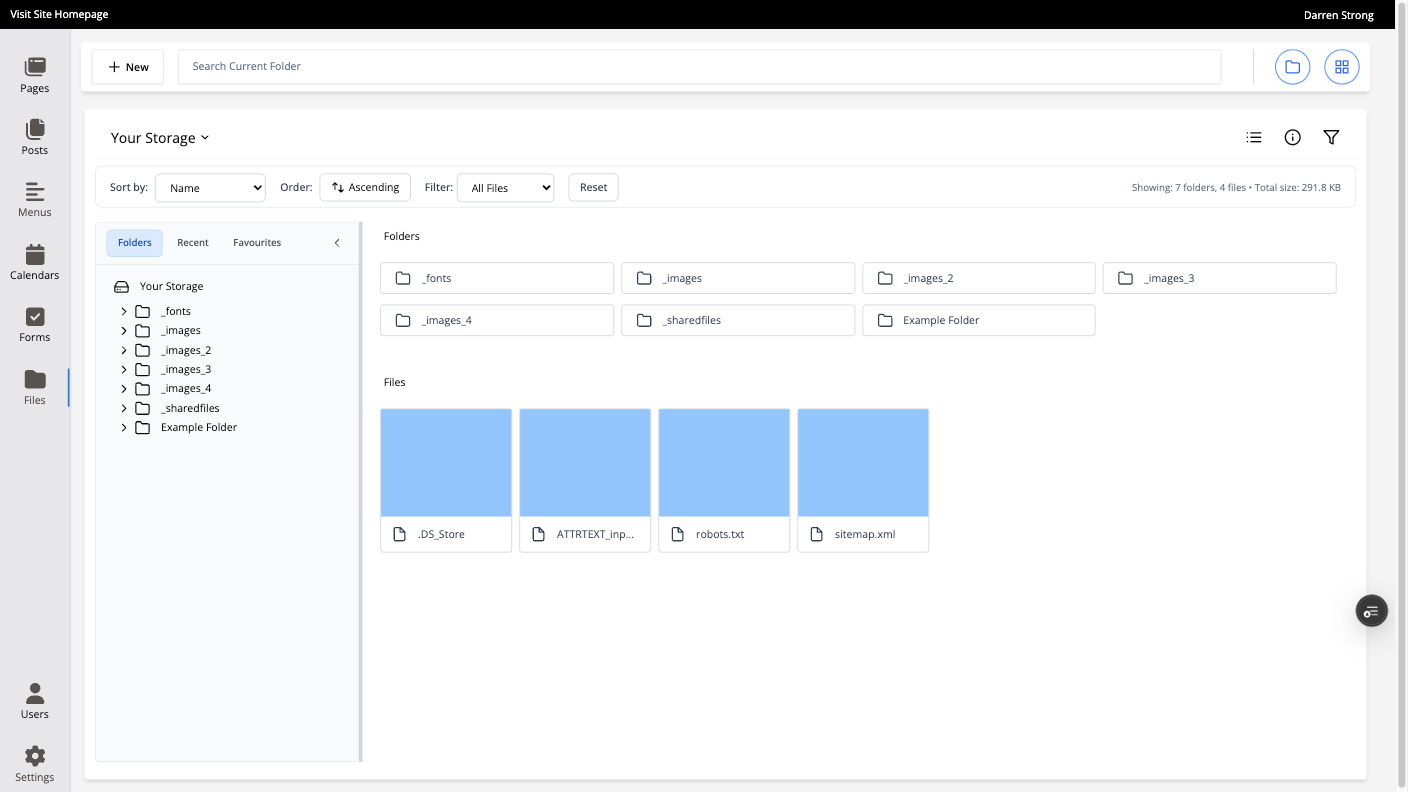
File Manager
Organise files with proper content categorisation.
Keep website imagery, downloadable files, and reusable assets in a cleaner structure. Categorisation makes content easier to locate, maintain, and reuse across pages, posts, and product areas.
Post
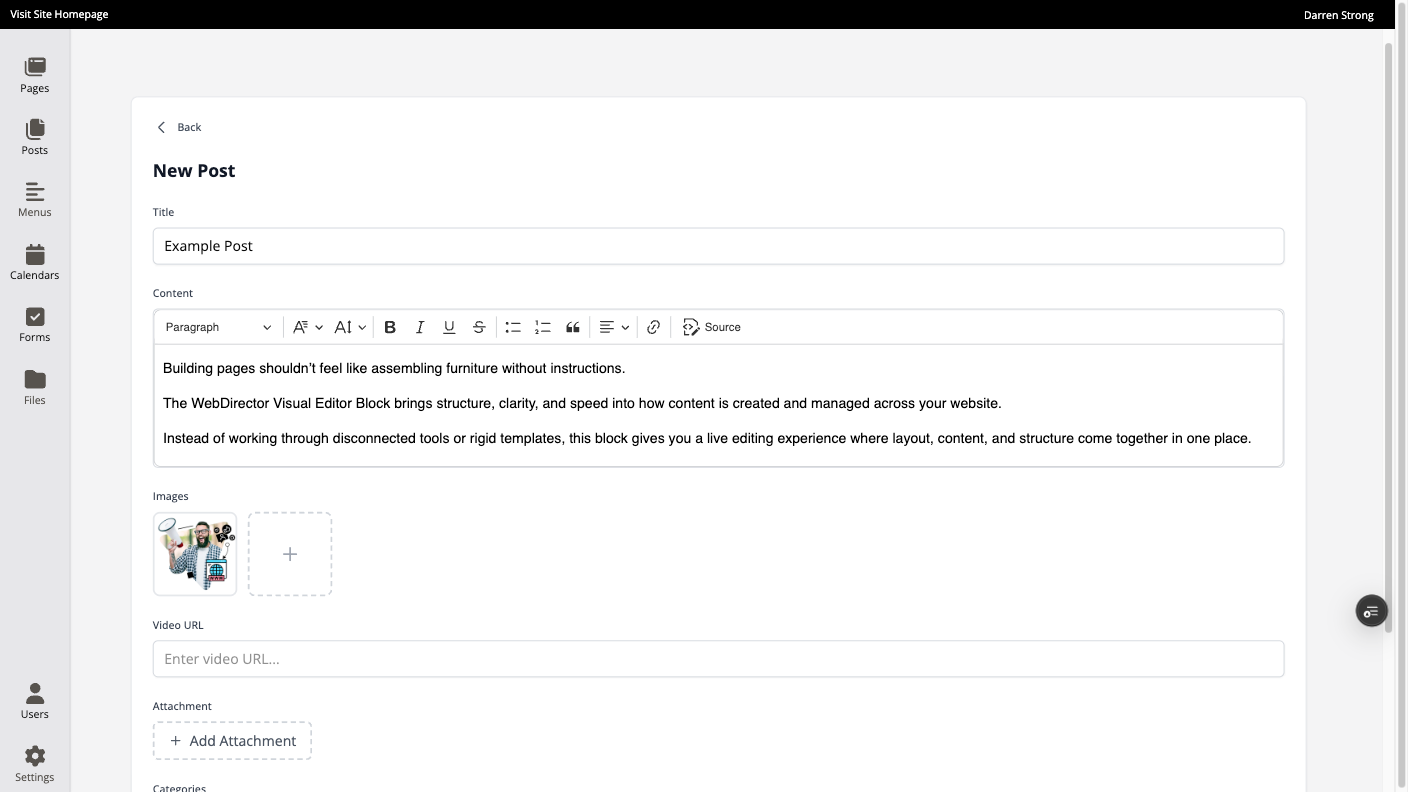
Publish articles, updates, and evergreen content from the same system.
Run a blog without moving into another platform. Build out content marketing, industry updates, case studies, and SEO-supporting articles with the same visual editing workflow.
Calendar
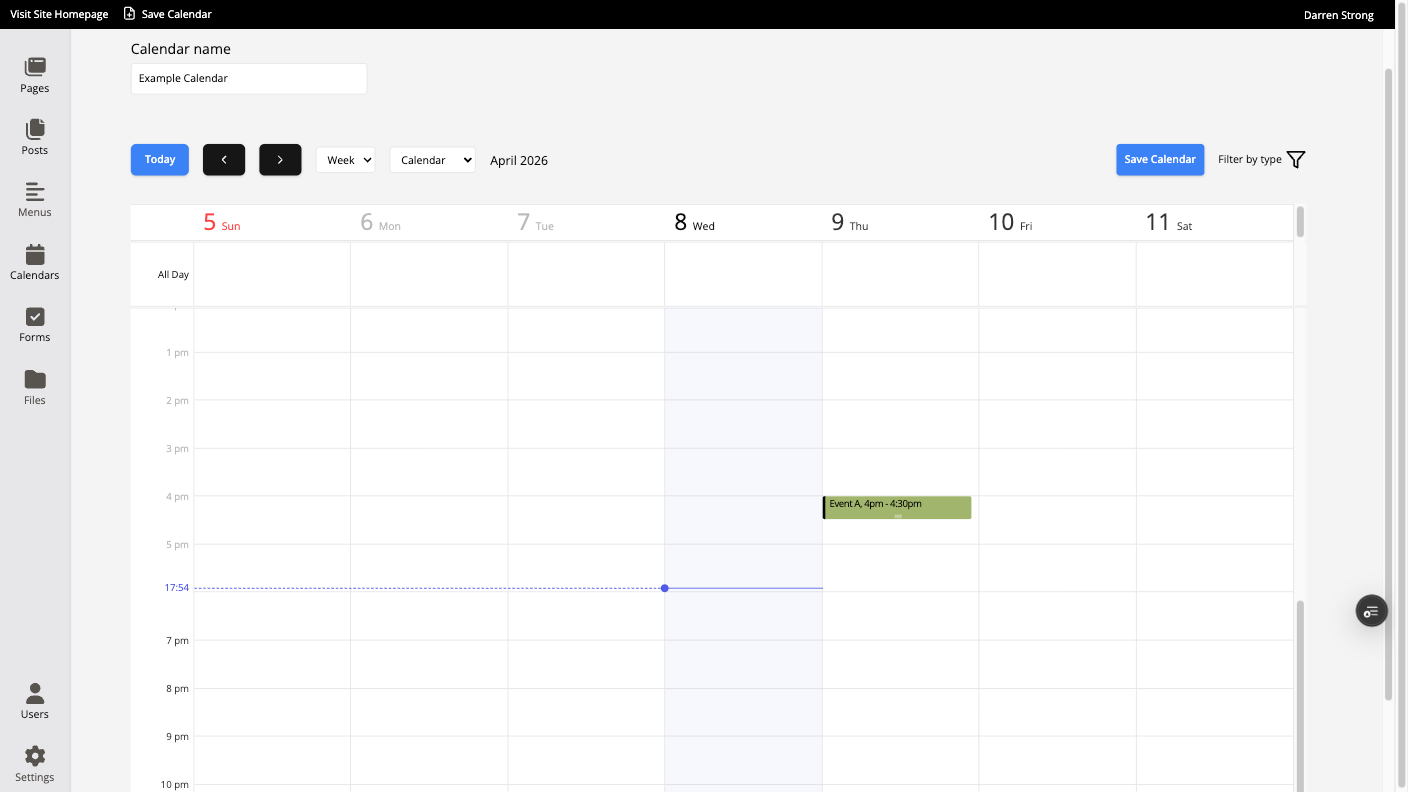
Add event-driven content without patching together plugins.
Use calendar functionality for events, announcements, launches, schedules, and date-based website content that needs to stay organised and visible.
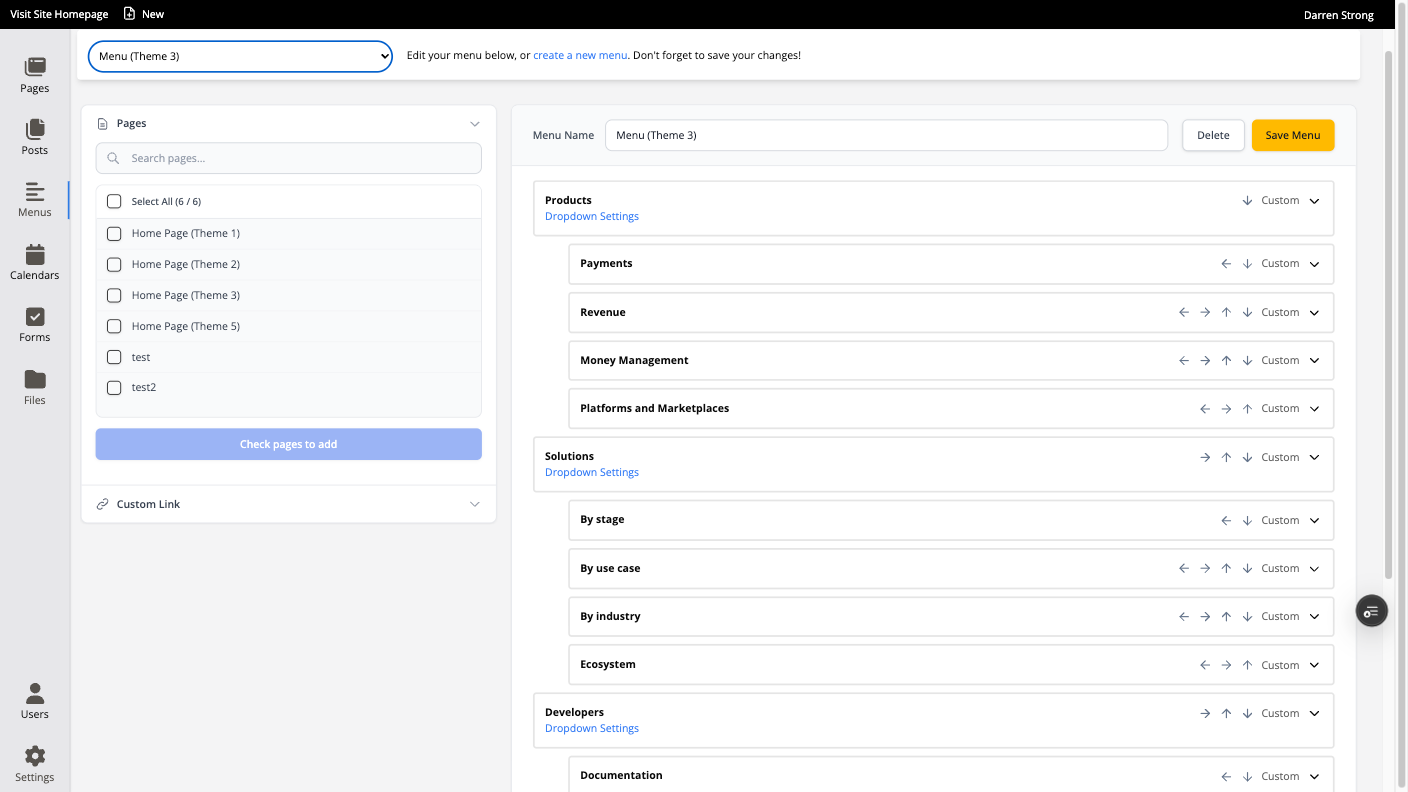
Navigation Controller
Build menu systems that work for larger, more structured websites.
From standard site menus to product category mega menus, WebDirector gives you stronger control over how users move through content, products, and deeper site architecture.
File Manager
Organise files with proper content categorisation.
Keep website imagery, downloadable files, and reusable assets in a cleaner structure. Categorisation makes content easier to locate, maintain, and reuse across pages, posts, and product areas.
Blog
Publish articles, updates, and evergreen content from the same system.
Run a blog without moving into another platform. Build out content marketing, industry updates, case studies, and SEO-supporting articles with the same visual editing workflow.
Calendar
Add event-driven content without patching together plugins.
Use calendar functionality for events, announcements, launches, schedules, and date-based website content that needs to stay organised and visible.
Navigation Controller
Build menu systems that work for larger, more structured websites.
From standard site menus to product category mega menus, WebDirector gives you stronger control over how users move through content, products, and deeper site architecture.
Themes
Start from one of four high-quality website themes, then shape it to fit your brand.
WebDirector gives you a head start with professionally designed theme options that make it easier to launch with polish and consistency.
Use them as a foundation, then extend the site with your own content structure, page layouts, menus, product sections, and brand styling.
Why teams choose WebDirector
A visual editor with the muscle of a proper business platform.
WebDirector is not just about editing pages. It helps businesses manage content, structure online stores, improve publishing workflows, and support more advanced websites from one connected environment.

Let’s create something smarter for your business
FAQs
Things You're Probably Wondering
FAQs